In short: Cornell University’s Esports Gaming Lounge runs 13 Alienware gaming PCs with no local hard drives — each boots a shared image from a central server using ggRock diskless infrastructure, while students sign in with their Cornell NetID through ggLeap. The payoff: one image to maintain instead of thirteen, and a clean, identical PC for every session.
The challenge: keep a room of gaming PCs identical, secure, and effortless to run
A campus esports lounge has a very specific IT problem. A small team — often student staff — has to keep a room of high-spec gaming PCs identical, patched, and clean, let any enrolled student sit down and play using the identity they already have, and do it without a dedicated technician babysitting each machine.
With traditional local-drive PCs, that means imaging and updating every box one by one, cleaning up whatever the previous player installed or changed, and managing a separate set of logins. Multiply that across a full room and it becomes a part-time job nobody has time for.
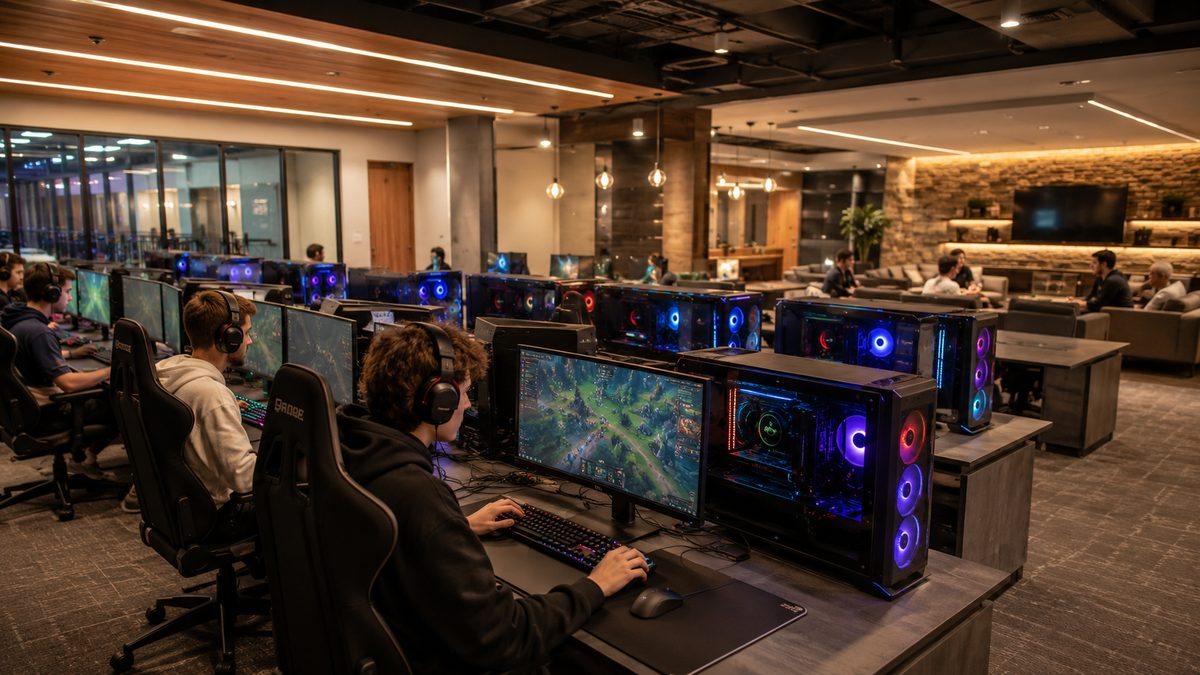
Cornell’s Esports Gaming Lounge, on the second floor of the Robert Purcell Community Center, is exactly this kind of environment: 13 Alienware Aurora R13 gaming PCs (Intel Core i7-12700KF, NVIDIA RTX 3080, 240 Hz Alienware monitors) plus three TVs with PlayStation 5 and Nintendo Switch consoles, open to current Cornell students and employees.
The solution: ggRock diskless boot + ggLeap with NetID login
Cornell runs the lounge on two layers of the ggCircuit platform.
Diskless infrastructure with ggRock
In Cornell’s own words, “The PCs do not have local storage and instead boot from a central game server.” That is diskless boot, and it is what ggRock does:
- One master image lives on an on-premise server; every PC PXE-boots that image over the network.
- You update once — a game patch, a driver, a Windows update — and the change applies to all 13 stations.
- Because nothing is stored locally, every reboot returns the machine to a clean, known-good state. Whatever a player changes during a session is gone at the next boot, which protects both consistency and security.
Player access with ggLeap and Cornell NetID
For the management layer, students “log into the ggLeap software on the PC using [their] Cornell NetID credentials.” ggLeap handles who is playing, what they launch, and session time — and because login uses the campus NetID (single sign-on), there are no separate lounge accounts to provision or reset.
Reservations run through Cornell’s ggCircuit center page (centers.ggcircuit.com/CUEsportsGamingLounge): students book a station in advance, sessions are capped at three hours, a reservation releases if the player does not log in within ten minutes, and collegiate esports teams get priority access.
The result: one image to manage, a clean PC every time
The diskless model turns the original IT problem on its head:
- One image to maintain instead of 13 — updates are made once on the server, not station by station.
- A clean, identical machine every session — no drift, no manual reimaging, nothing left behind by the previous user.
- No separate accounts — students authenticate with the NetID they already have.
- Online, self-service booking — with automatic release of no-shows and priority for varsity teams.
- No local drives to secure or wipe — session data does not persist between players.
Why diskless infrastructure fits campus esports
University esports programs are scaling fast, and most campuses do not want to add headcount to run a gaming room. Diskless infrastructure is a natural fit for higher education because it standardizes a fleet of machines, makes updates a single action, and resets every PC to a trusted state between users — the same properties that make it valuable in commercial LAN centers, applied to a campus lab.
Cornell’s lounge is a working example: enterprise-grade gaming hardware, managed centrally, accessible with a student’s existing identity, and maintained by a lean team.
FAQ
What is diskless boot for an esports lounge? Diskless boot means the gaming PCs have no local hard drive. Each one loads a shared operating-system and game image from a central server over the network every time it powers on, so all machines run the same image and reset to a clean state on reboot.
How do students log into the Cornell esports PCs? Students sign in to the ggLeap client on each PC with their Cornell NetID — the same single sign-on credentials they use across campus — so no separate lounge account is needed.
How are 13 gaming PCs kept updated and identical? With ggRock diskless infrastructure, there is one master image on the server. Updating that single image applies the change to every station at the next boot, instead of patching each machine individually.
Can other universities set up the same thing? Yes. The same ggRock (diskless infrastructure) and ggLeap (management and SSO) stack used at Cornell can be deployed in any campus esports lab. ggCircuit also offers setup and managed-services help to get a venue running.
Keep reading / next steps
- Learn how diskless boot works: Diskless Boot Software
- The management layer: Esports Venue Management Software
- Planning a campus venue: Esports Venue Services · University Esports Venues: Finding Your Path
Source: Cornell University, Esports Gaming Lounge (Robert Purcell Community Center).